

Digital invoice
A native or high-quality digital PDF. It has a clear header and multiple line items.
Checks whether standard invoice fields and line items are returned in a usable structure.
Controlled test · InvariTech owns one tool
We tested 8 tools using the same digital invoice, handwritten bill, and handwritten non-invoice note. We checked for usable structured results, not simply returned text.
Verdict
Results published
InvariTech produced all expected line rows across the two financial documents and correctly rejected the handwritten non-invoice note. In this small owned-document test, it was the strongest option for structured invoice-to-CSV extraction.
Results published
31 Aug 2026
Three owned documents cannot prove universal accuracy. They can show whether a tool handles a clean digital invoice, a handwritten bill, and a handwritten document that should not become an invoice.Document details are blurred to protect private information.
A native or high-quality digital PDF. It has a clear header and multiple line items.
Checks whether standard invoice fields and line items are returned in a usable structure.
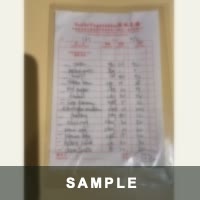
A real handwritten bill or receipt. Labels, numbers, spacing, and table structure vary across the page.
Checks whether handwritten fields and line items are extracted without invented rows.

A real handwritten note that is not an invoice, bill, or receipt.
Checks whether the tool rejects a document that is not an invoice instead of inventing financial data.
Each percentage is calculated against approved ground truth. Exact counts are shown where the retained structured output supported scoring.
Private values and full exports are not published. “Not scored” means the retained result could not support a defensible calculation.
Scroll sideways to see every column
| Tool | Account | Speed | Digital invoice · 1 line | Handwritten bill · 14 lines | Non-invoice note | Export |
|---|---|---|---|---|---|---|
| InvariTech Owned by publisher | No | 2m 01s for all 3 files |
1 returned |
14 returned | Correctly rejected | Structured CSV |
| Thunderbit | No | ~30s | Ocr text Text only; structured metrics not scored | Ocr text Text only; structured metrics not scored | Outcome unverified | OCR text, not structured CSV |
| InvoiceOCR.app | Yes | ~2m | Failed Retained output did not support numeric scoring |
14 returned | Correctly rejected | CSV |
| Parseur | Yes | ~2m |
1 returned |
14 returned · 1 extra | Processing failed | CSV |
| Docparser | No | ~30s per file, one at a time |
1 returned · 1 extra | Failed Retained output did not support numeric scoring | Processing failed | Structured demo result |
| Nanonets | Company email | ~1-2m |
1 returned |
9 returned · 7 extra | False positive 0 invented fields · 32 invented rows | Structured result |
| PDF.co | Yes | ~1–2m |
1 returned |
14 returned Required manual PDF conversion | Processing failed | JSON |
| DocuClipper | Yes | ~40s |
1 returned |
14 returned · 5 extra | False positive 0 invented fields · 1 invented rows | CSV; malformed multiline export |
Benchmark 2.0.0 · exact-normalized scoring · generated 31 Aug 2026
The approved source documents are the ground truth. We compare each tool's structured result with the fields and line items present in those documents, then publish the numerator, denominator, and percentage.
Metric 01
Correct applicable fields ÷ expected applicable fields
We compare supplier name, invoice number, invoice date, customer, currency, subtotal, tax, and total. A field enters the denominator only when it applies to that document. A missing or incorrect applicable field scores zero; a field that does not exist on the source is excluded.
Worked example: 7 correct fields out of 8 expected fields = 7 ÷ 8 = 87.5%. If the tool also invents a purchase-order number, the score stays 87.5% and the invented field is reported separately.
Metric 02
Matched source rows ÷ expected source rows
We count how many real invoice lines can be paired with a returned line. Each returned row can match no more than one source row. The pairing is chosen by the number of exact line-item cells, so a duplicate or unrelated row cannot cover two source rows.
Worked example: A bill has 14 source rows. If 13 are matched, coverage is 13 ÷ 14 = 92.9%. If the tool returns 14 rows but one is unrelated, we show 14 returned, 13 matched, 1 missing, and 1 extra.
Metric 03
Correct populated line-item cells ÷ expected populated cells
Within the matched rows, we compare description, quantity, unit, unit price, and amount cell by cell. Only cells populated in the approved source data enter the denominator. A missing or incorrect populated cell scores zero; a genuinely blank source cell is not penalized.
Worked example: Fourteen rows contain 69 populated cells because one source cell is blank. If 65 cells are correct, accuracy is 65 ÷ 69 = 94.2%. Returning all 14 rows does not guarantee a high cell score.
Supplier name, Invoice number, Invoice date, Customer, Currency, Subtotal, Tax, Total.
Description, Quantity, Unit, Unit price, Amount.
OCR text is not structured extraction
Finding the words on a page is useful, but it does not prove that a supplier, total, or line-item value was placed in the correct field, row, and column. OCR-text-only results therefore receive no structured accuracy score.
Private source values, document names, and full exports are not published.
Disclosure: InvariTech owns one of the 8 tools in this comparison. We used the same three owned documents and assessment rules for every tool.
No vendor pays to appear. We use no affiliate links. The comparison reports observed outcomes without publishing private source data or full exports.
Results vary with document quality, language, layout, and handwriting. Always review financial data before approving payments or posting entries.
Use the line-item review checklistTest the document you care about
Upload a PDF, JPG, or PNG. Check the header fields and line items against the source, then download one CSV without creating an account.